Two windows: one for the call, one for everything else
During a call you see only a small overlay with your answers. Before and after it, the workspace holds your calendar, your projects and the notes of every meeting, on your PC.
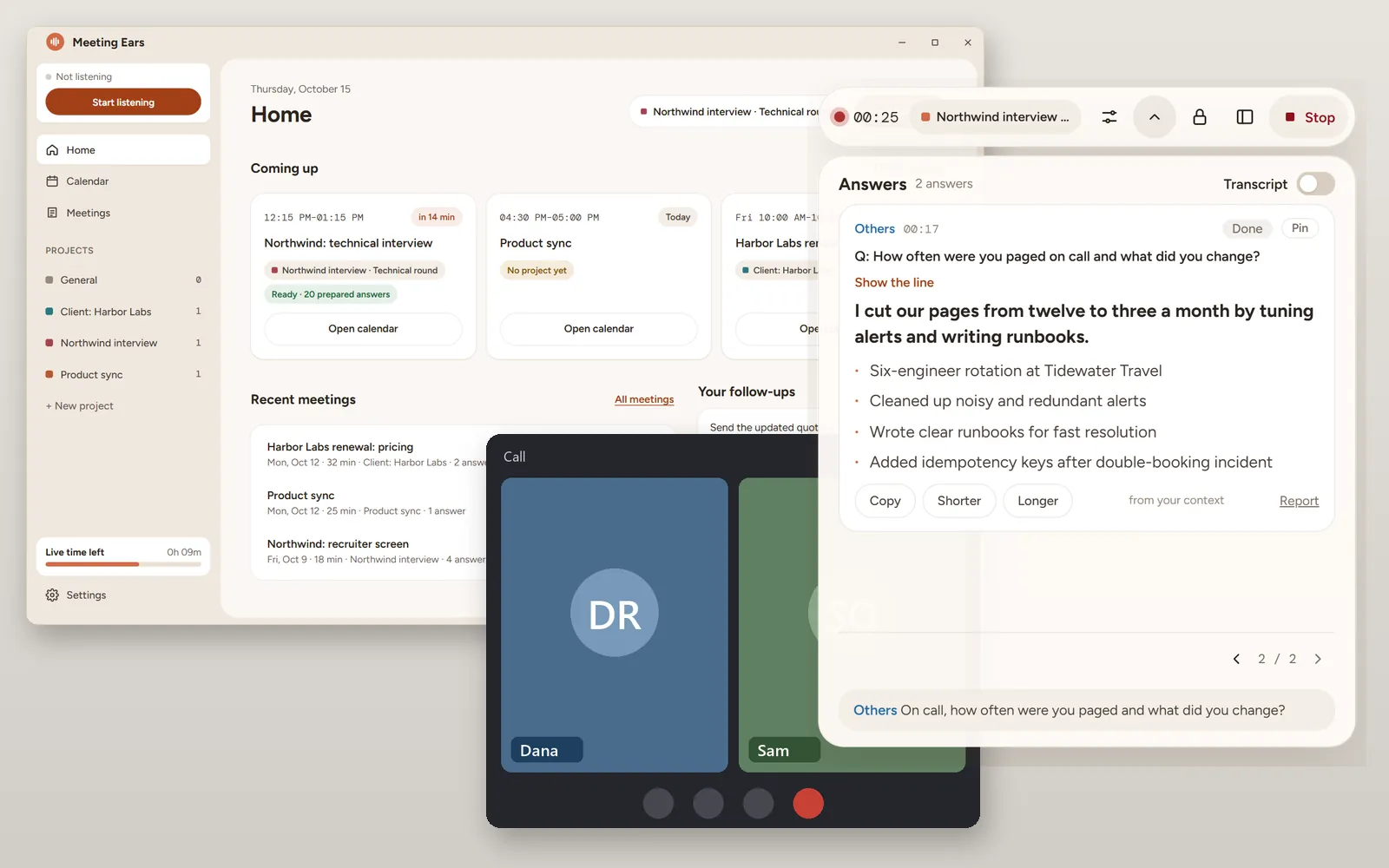
During the call
Before and after
- Workspace and MeetingsHome with what’s coming up and your follow-ups, every saved meeting, and search on your PC.
- CalendarYour booked meetings, the project and context each one uses, a prep brief, and Join and listen.
- Projects and contextNotes, PDF and Word documents, prepared answers, what was learned, and the answer style.
- Meeting notesA summary with decisions and action items, a follow-up email, the transcript, and Export.
Trust
How it compares
One meeting, start to finish
-
Before
In the workspace
The calendar shows what’s next and which context each meeting will use. Add your notes and documents, press Prepare, and read the prep brief.
-
During
In the overlay
Press Start listening. When a question lands, a card shows a line to say first and the points to carry on with.
-
After
Back in the workspace
Open the meeting, press Debrief for the decisions, action items and a follow-up email, and search any meeting later.