Connect once
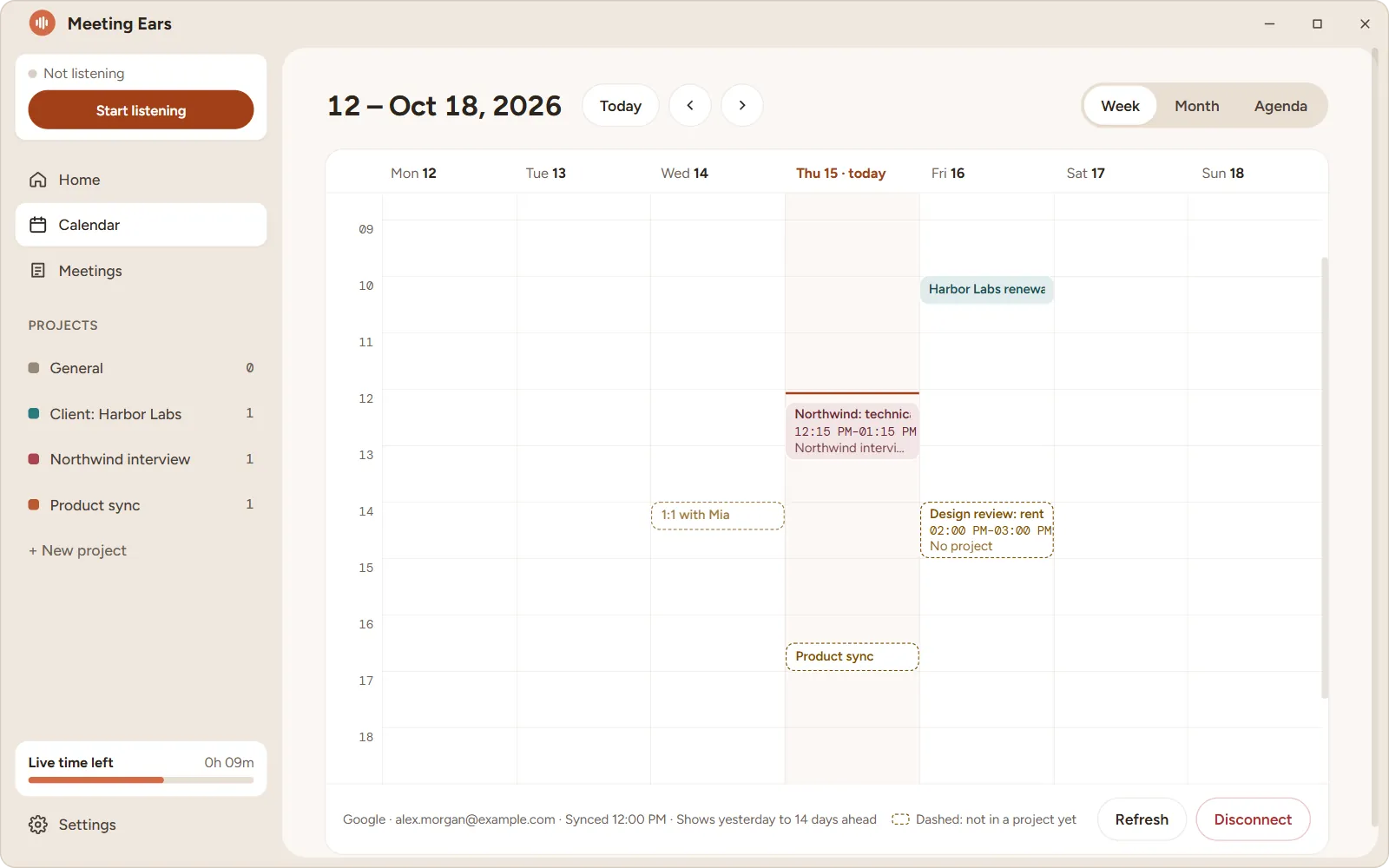
Press Connect Google Calendar. Google opens in your browser, and Meeting Ears asks to read events only. You can also paste your calendar’s secret iCal address instead. The calendar shows meetings from yesterday to 14 days ahead. If you like, a reminder appears two minutes before a booked call with a video link.
Week, month or agenda
Switch between Week, Month and Agenda, and use Today and the arrows to move around. A meeting that isn’t in a project yet has a dashed outline.
The assistant will use
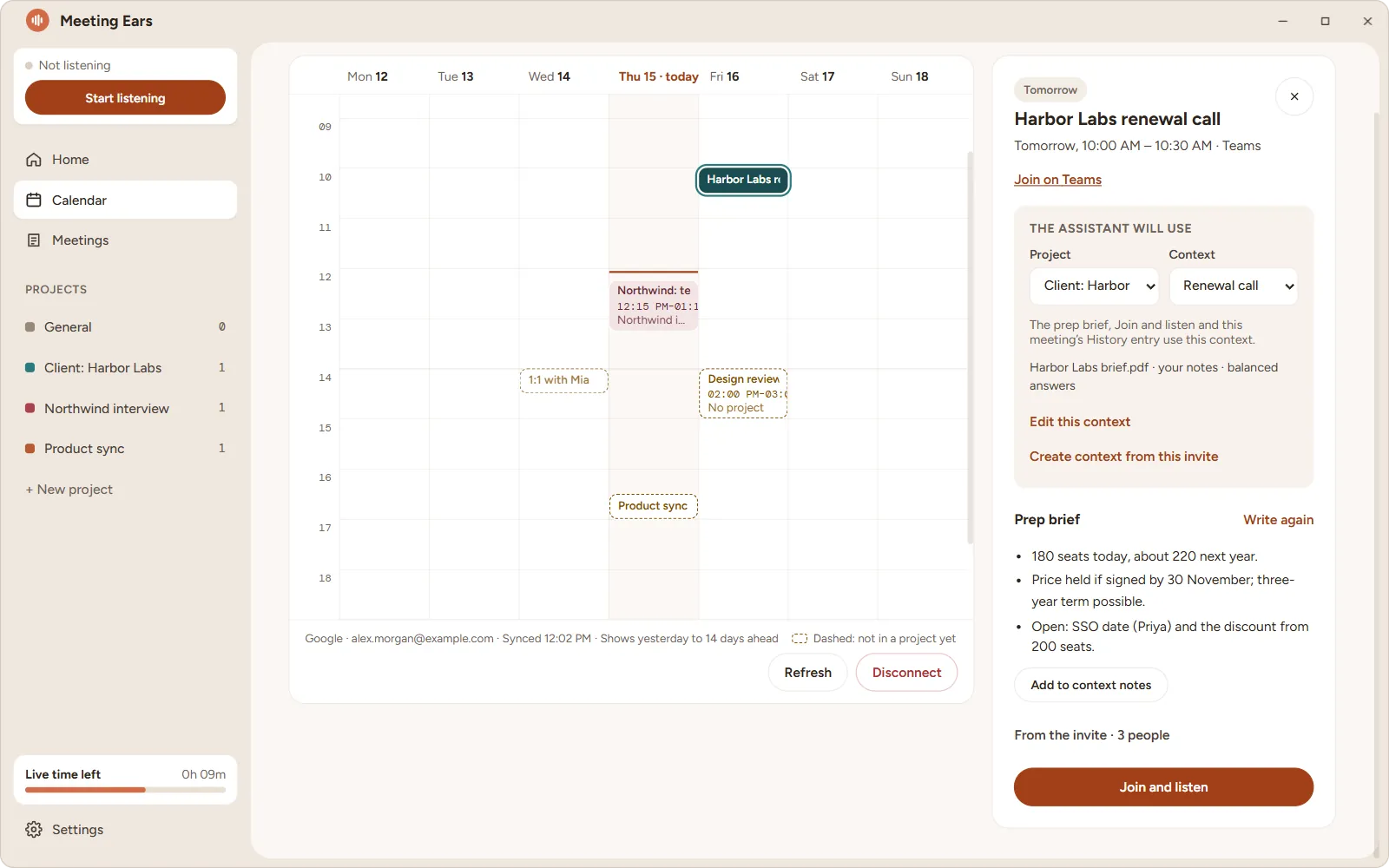
Click a meeting to open it beside the calendar. Under The assistant will use, choose its Project and Context. The prep brief, Join and listen and the saved meeting all use that choice. You can also start a + New context…, use Create context from this invite, or go to Edit this context. A meeting with no project uses the context that is active in the overlay.
Prep brief
Press Prep brief for a few points to prepare, written from the invitation and the context. Add to context notes keeps them for the answers during the call.
Join and listen
Join and listen opens the call link and starts listening in the overlay with that meeting’s context. The invitation’s organizer, attendees, place and notes are one click away, and a meeting you already recorded has Open meeting.
How to use it
- Connect your calendar once, from Calendar in the workspace.
- Click tomorrow’s meeting and choose its project and context.
- Press Prep brief, and add the points you like to the context notes.
- When it’s time, press Join and listen.
What stays private
Calendar access is read-only, and your events are kept on your PC, with the access encrypted by Windows. Only when you press Prep brief does that meeting’s invitation (title, description, start time and the other attendees’ names) go with its context to the Meeting Ears service, which writes the brief and keeps nothing.
More detail: the Calendar guide.